elabpull
Run in CI/CD
Link your eLabFTW to Gitlab
- Generate eLabFTW API Key: https://doc.elabftw.net/docs/usage/api/
- In your Gitlab repository navigate to Settings -> CI/CD -> Variables
- Click on Add variable
- Under Key enter ELAB_API_KEY (this name is mandatory)
- Under _Value enter copy the generated eLabFTW API Key
- Click Add variable
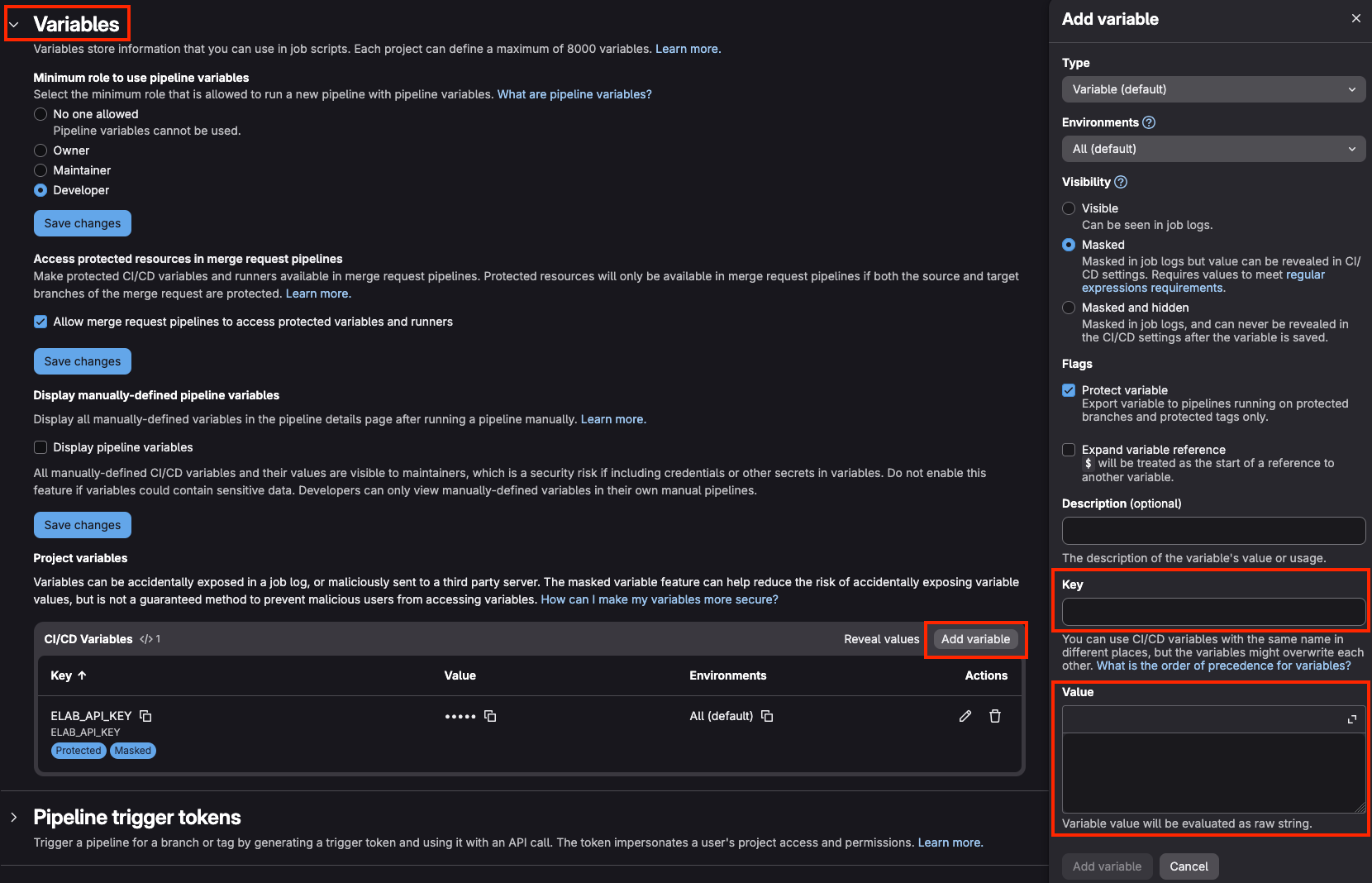
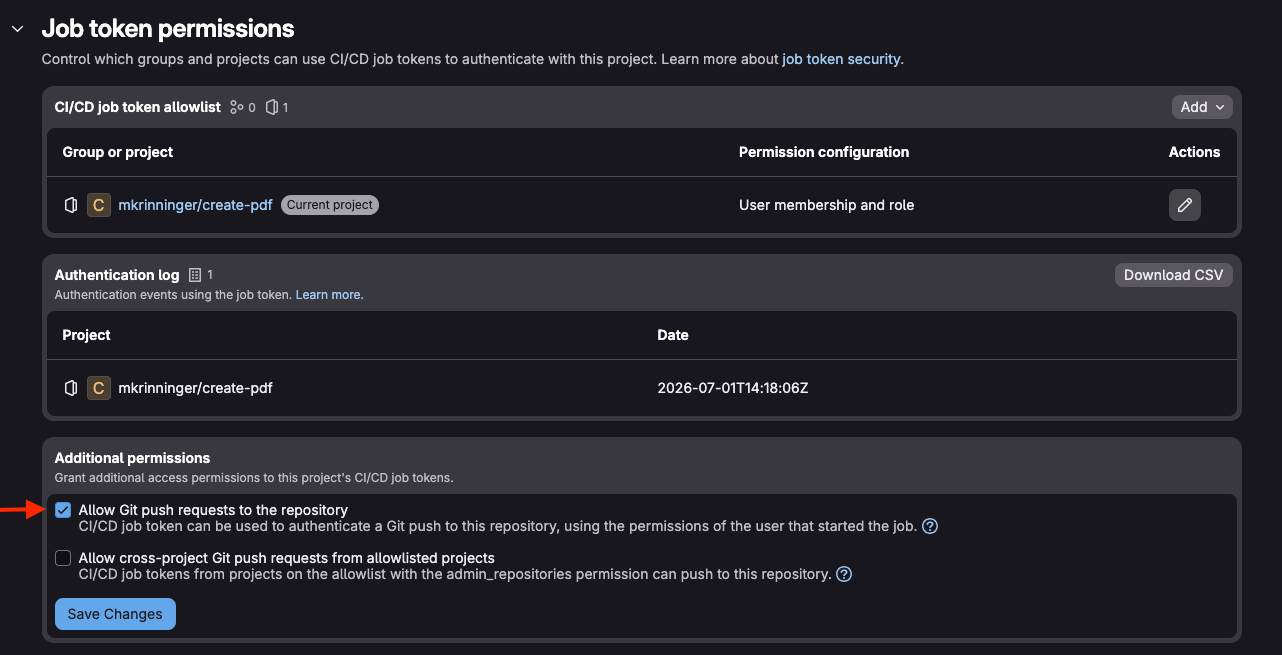
Set permissions for CI/CD to push to repository
Navigate to Settings -> CI/CD -> Job token permissions and make sure Allow Git push requests to the repository under Additional permissions is checked
Run the pipeline
- Navigate to Build -> Pipeline
- Click on New pipeline (upper right corner)
- Under Inputs enter the experiment ID of which you want to download data
into your repository as a space seperated list, e.g.,
1 3 12for the experiments with the IDs 1, 3 and 12 - Click New pipeline
You can find your downloaded eLabFTW experiment information under
elab-downloads
Usage as CLI
Build the executable with
go build -o elabpullRun it
export ELAB_API_KEY=<API-KEY>

elabpull [-save-pdf] [-save-uploads] <EXPERMIENT_IDS>
Usage as docker container
Build container
docker build -t elabpull .Run container
docker run --rm -v "$PWD/elab-downloads:/elab-downloads" -e ELAB_API_KEY elabpull:latest [-save-pdf] [-save-uploads] <EXPERMIENT_IDS>